What needs attention?
Review orders and outstanding work in one place so your next conversation starts with the right priorities.
Built for owners of small manufacturing shops
See the work. Set the priorities.
Give yourself room to lead.
Clarioty brings orders, production progress and customer follow-ups into view.
Less time tracking down updates. More time moving the business forward.
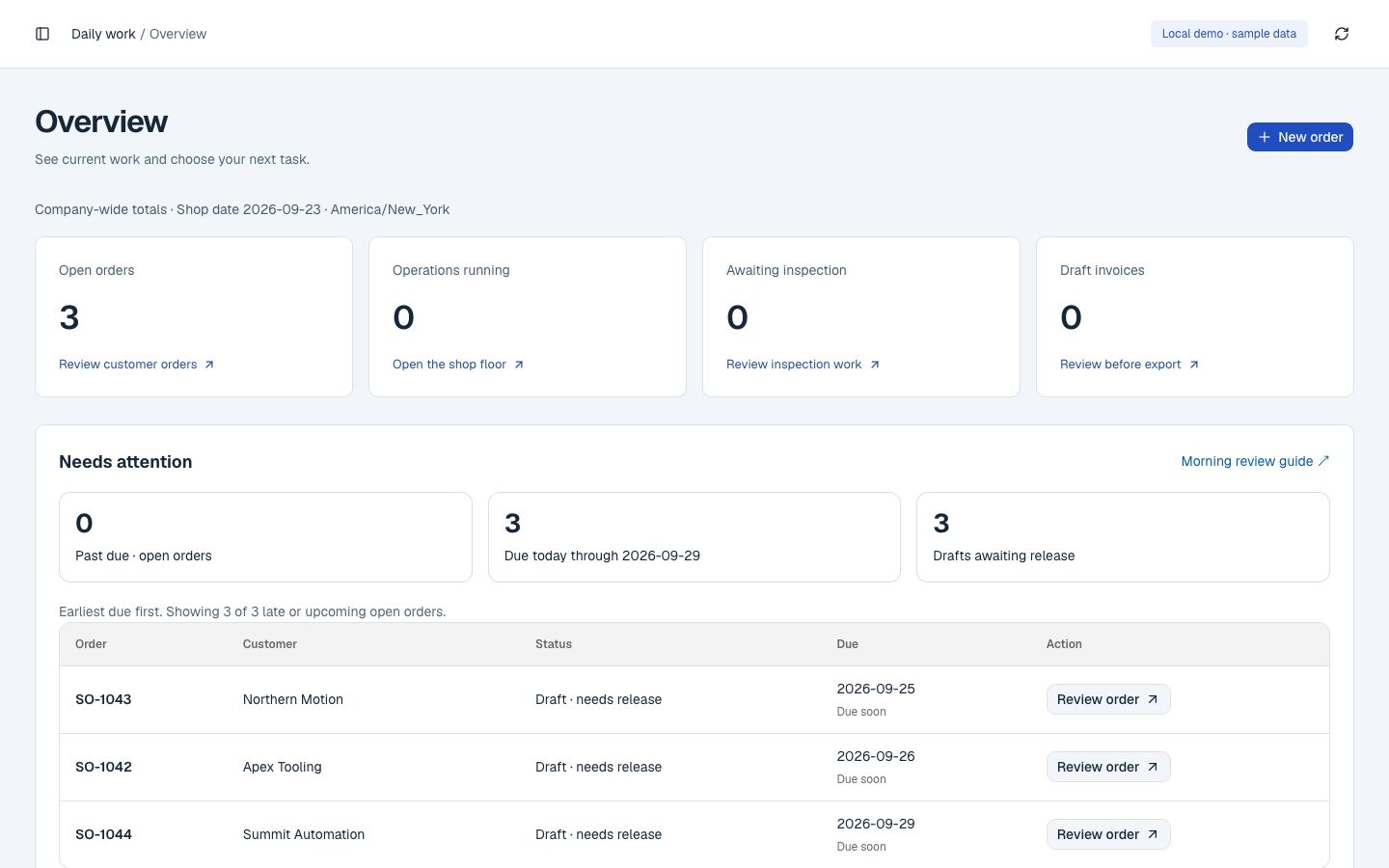
Review orders and outstanding work in one place so your next conversation starts with the right priorities.
Follow the work from quote to schedule, production and shipment. Give your team a shared view of the next step.
Keep customer conversations and next actions together so opportunities do not depend on someone remembering.
Know what’s quoted, scheduled, running, shipped and ready to bill.
Keep buyer details and requirements together.
Build a clear price for the work.
Confirm the part, quantity and delivery date.
Turn order lines into jobs and machine bookings.
Record good pieces, time and inspection results.
See what shipped and what’s still owed.
Prepare a draft ready for billing review.
Included in Operations
ERP
Follow customers, quotes, orders, purchases and invoice drafts in one place.
Explore OperationsMES
Give operators their jobs and instructions. Record time, good pieces, scrap and progress.
Explore MESWMS essentials
Receive stock, find heat lots, check counts and ship accepted work.
Explore warehouse managementQuality Control
Review inspection work, record measurements and check gauge calibration before accepting batches.
Explore Quality ControlOperations
Connect ERP planning, shop-floor execution (MES), warehouse essentials (WMS) and Quality Control from quote to shipment.
Explore Operations →Guided pilotCRM
Keep customer contacts, opportunities and the next follow-up in one place.
Explore CRM →Guided pilotVision
Count products and review camera observations with your team.
Explore Vision →Measured pilotMobile
Give invited customers an iPhone and iPad ordering experience connected to your catalog.
Explore Mobile →Arranged iOS pilotWorkforce
Review application activity, employee timelines and computer-use reports.
Explore Workforce →Development previewSee orders, shop-floor progress and customer follow-ups together.
Book a guided demoThe video could not load. Open the video directly or request a guided demo.
Start at $199/month with one module. Connect three with Pro at $499/month. Bring all five into your rollout with Complete at approximately $999/month.
Starting software prices in USD per company. Scope and module availability are agreed before payment.
Compare the packages →Bring a slow handoff, a spreadsheet or a missed follow-up. We identify a focused starting point around your workflow.
Use your own records and a small team to test the workflow. Agree on the setup and training support you need.
Review the result: time spent chasing updates, repeated entry or missed handoffs. Add the next step when the first is working.
Need help preparing data, improving a workflow or planning the rollout? Explore implementation and process support →
Service scope and fees are agreed separately from software.
Show us where you lose visibility. Let’s walk through how Clarioty could help.
Book your shop walkthrough →